

Quick Answer
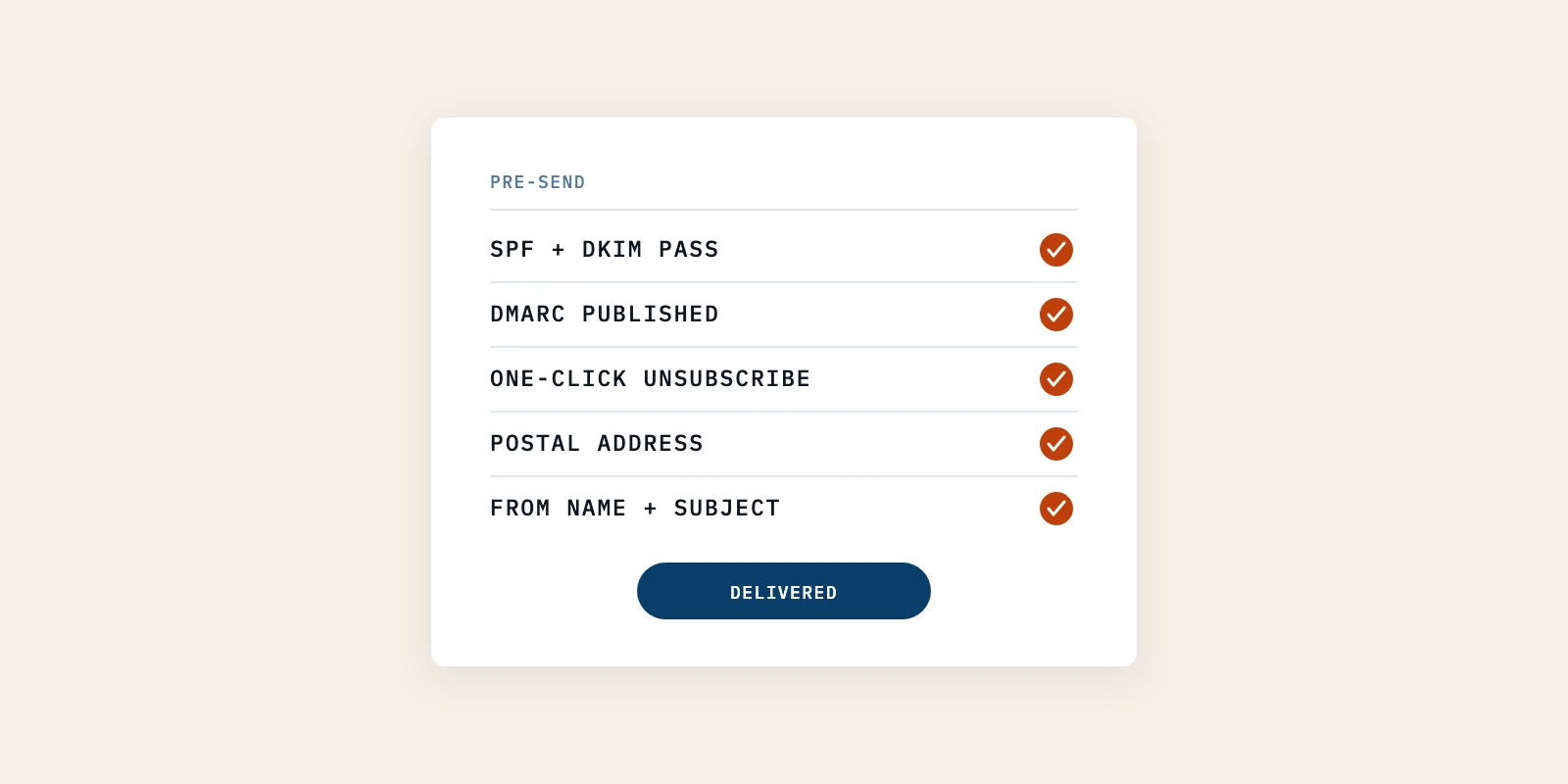
An email marketing checklist is the set of checks you run before an issue goes out, and its order matters more than its length. Authentication, a published DMARC record, a working one-click unsubscribe and a real postal address decide if the message arrives at all. Subject lines, formatting and send times only change what happens after it does, so run the delivery checks first and the content checks second.
A founder sends the first issue to two hundred people and hears nothing back. The writing was fine. The subject line was fine.
Nobody had checked whether Gmail, Yahoo and Outlook were willing to deliver it, and none of them send a warning when they are not. Guides to content marketing for tech companies spend their length on what to write, then treat the send itself as a formality.
This one starts a step earlier. It covers the seven sender checks to run before every send, where the three big mailbox providers disagree, and which popular checklist items are worth skipping while your list is small.
Mailbox Provider Rules Outrank Every Other Checklist Item
The rules Gmail, Yahoo and Outlook publish sit above everything else on an email marketing checklist. A message a provider refuses to deliver cannot be rescued by anything written inside it. Since February 1, 2024 those rules have been requirements rather than suggestions.
Google's email sender guidelines bind every sender at any volume. SPF or DKIM authentication, valid forward and reverse DNS records, a TLS connection and spam rates below 0.3 percent are asked of everyone, and none of it carries a volume threshold.
Above 5,000 messages a day to Gmail the list gets longer. Both SPF and DKIM are required, a DMARC record has to exist, the From domain has to align with the authenticated domain, and marketing mail has to carry one-click unsubscribe.
That threshold is where most founders stop reading, on the fair assumption that two hundred subscribers is nowhere near it. The first set of requirements has no threshold at all.
The failure is silent by design. Nobody writes to say your mail is being filtered. A rising spam complaint rate and a falling reply count look the same on the graph, and both read as readers losing interest rather than as a DNS record somebody never finished.
A checklist protects the list you already have. Filling it is a different job, and an AI SEO service does that one by making the pages a buyer finds in Google and inside ChatGPT and Perplexity answers.
The Email Marketing Checklist to Run Before Every Send
Seven checks decide if an issue arrives, and if sending it was legal. Run all seven before the first send, then the ones that can drift before each issue after that.
Each item says what the check is, how to run it, how you know it passed, and the mistake that makes it fail without telling you. None of them needs a tool you have to buy.
1. Confirm SPF and DKIM Pass on the Domain You Send From
SPF tells a receiver which servers may send as your domain. DKIM signs the message so the receiver can confirm it was not altered on the way. Google asks for at least one of the two from every sender, and for both above 5,000 messages a day.
To run the check, send a test issue to an address you control at a different provider. Open the raw message headers and read the authentication results line. You want spf=pass and dkim=pass, with the domain beside each one matching the domain in your From address.
It passed when both say pass and both name your sending domain. A DKIM signature carrying your email platform's domain rather than yours is a different result, and it is the one that quietly breaks alignment later.
The common mistake is trusting the onboarding wizard. Pasting records into a DNS panel and seeing a green tick in a dashboard is not the same as a receiver confirming them.
2. Publish a DMARC Record and Point It at an Inbox You Read
DMARC tells receivers what to do when SPF and DKIM fail. It is the record that turns two passing checks into an enforceable policy. Yahoo's sender best practices require bulk senders to publish a valid policy of at least p=none, and require DMARC to pass.
To run it, publish a TXT record at _dmarc on your sending domain with a policy of none and a reporting address you actually open. Leave it at none for a few weeks and read what arrives.
It passed when the aggregate reports arrive and show your own sends aligned. Those reports are also a free inventory of everything else sending mail as your domain, which is usually more services than anyone remembers signing up for.
The mistake is starting at p=reject because it sounds stronger. A strict policy published before you know who sends as you will bounce your own invoicing platform, and the first person to notice will be a customer.
3. Send From a Subdomain You Could Afford to Retire
Sending reputation attaches to the domain and the IP that sent the message. So the domain your marketing goes out on is the domain that carries your marketing's consequences.
To run it, set the newsletter up on a subdomain such as news.yourcompany.com and authenticate that subdomain. Leave the root domain for mail a human wrote to a named person. Google goes further and suggests separate addresses and IP addresses for different categories of mail.
It passed when a test issue comes from the subdomain and still shows DMARC alignment, since a subdomain aligns with the organizational domain under relaxed DMARC alignment.
The mistake is sending campaigns from the root domain because it looks more official. It does, right up to the week a complaint spike costs you delivery on the mail you cannot afford to lose.
4. Raise Sending Volume in Steps, Never in One Jump
A domain with no history that suddenly sends a lot of mail behaves like a domain bought to send a lot of mail. Receivers score it that way.
Google is explicit that volume should climb gradually. Its guidance warns against sudden spikes, because "immediately doubling previously sent volumes suddenly could result in rate limiting or reputation drops."
To run it, start with the few hundred people most likely to want the issue. Add to the send in increments over several weeks rather than importing everything at once.
It passed when bounce and deferral rates stay flat as volume climbs. If messages start bouncing or being deferred, Google's advice is to reduce volume until the error rate falls, then increase slowly again.
The mistake is the conference list. Six hundred badges scanned in October, uploaded in one go in November, from a domain with almost no sending history, is the shape the filters were built to catch.
5. Ship a One-Click Unsubscribe and Test It Yourself
One-click unsubscribe is a header pair that lets a reader leave from the inbox without opening the message. Google requires it on marketing and subscribed mail above 5,000 messages a day, alongside a clearly visible unsubscribe link in the body. Yahoo asks bulk senders for the same header, and for requests to be honored within two days.
To run it, check that outgoing messages carry both List-Unsubscribe and List-Unsubscribe-Post headers. Then subscribe a spare address, click the visible link in the footer, and confirm that address stops receiving the next issue.
It passed when the removal happens without anyone touching a database by hand. The visible link and the header are two separate requirements, and shipping one is not shipping the other.
The mistake is an unsubscribe that asks for a login, or a preference page with no option to leave entirely. Yahoo asks for a process that does not require users to log in, and a reader who cannot find the exit still has the report-spam button.
6. Put a Real Postal Address in the Footer
Commercial email sent in the United States has to carry a valid physical postal address, and that is statute rather than etiquette. The FTC's CAN-SPAM compliance guide puts the penalty at up to $53,088 for each separate email in violation. It also closes the door most founders assume is open: "The law makes no exception for business-to-business email."
To run it, put a street address, a registered post office box or a registered private mailbox in the footer template. Then open a rendered test issue and read the footer as it actually sends.
It passed when the address appears in the delivered message, not only in the template. A merge field that resolves to an empty string looks correct in the editor and ships blank.
The mistake is leaving the email platform's placeholder address in place. It is an easy defect to ship on a founder newsletter and a cheap one to fix.
7. Read the From Name and Subject Line as a Stranger Would
The inbox row is three pieces of text, and two of them are regulated. The FTC requires header information to be accurate and the subject line to reflect what is in the message. Google's display name guidelines ask senders to use the display name only to identify themselves.
To run it, open the test issue on a phone, in a real inbox list rather than in the editor preview. Read the from name, the subject and the preheader as one line, then click every link in the body.
It passed when somebody who did not write the issue can say what is inside it from that row alone.
The mistake is borrowing urgency you have not earned. Google names the pattern directly, telling senders not to start subject lines with Re: or Fwd: unless the message really is a reply or a forward. A display name like LATEST UPDATE is the same trick wearing a different hat.
Where Gmail, Yahoo and Outlook Sender Rules Differ
The three providers ask for close to the same things, and the differences sit in the thresholds and the enforcement. Outlook is the newest arrival. Microsoft published its own requirements for high-volume senders in April 2025, and began routing non-compliant mail from those domains to the Junk folder from May 5, 2025.
| Rule | Gmail | Yahoo | Outlook |
|---|---|---|---|
| Who the strict tier binds | Over 5,000 a day | Bulk senders, no figure given | Over 5,000 a day |
| Authentication, strict tier | SPF, DKIM and DMARC | SPF, DKIM and DMARC | SPF, DKIM and DMARC |
| DMARC policy floor | p=none accepted | p=none, must pass | p=none, aligned |
| Spam complaint rate | Under 0.10, never 0.30 percent | Under 0.3 percent, inbox mail | No figure published |
| Unsubscribe | One-click plus a visible link | One-click, honored in 2 days | Recommended, not required |
| What failing costs | Rate limits, spam folder, blocks | Delivery impact at Yahoo domains | Junk folder, rejection later |
Read the strictest cell in each row and build the email marketing checklist to that, because a list of two hundred people holds addresses at all three. Gmail's spam complaint rate row is the one worth internalizing. Its published guidance is to stay below 0.10 percent and never reach 0.30 percent, so the number you plan against and the number that triggers enforcement are deliberately different.
What to Check Once the Issue Reaches the Inbox
Once the email marketing checklist has cleared delivery, the remaining checks are about getting the issue read. There are fewer of them than most guides suggest. Five hold up.
- One idea per issue, so the reader learns that opening it resolves something.
- A subject line that describes the contents rather than teasing them, because a curiosity gap works once.
- One call to action, since two competing asks split the clicks rather than doubling them.
- Text that survives images being blocked, because an argument living inside a graphic arrives blank.
- A reply address a human reads, since no-reply addresses discard the most useful thing a newsletter produces.
Then judge the result by clicks and replies rather than opens. Apple's Mail Privacy Protection notice says the feature downloads remote content in the background by default, "regardless of whether you engage with the email". A share of every open figure you see was recorded by a machine.
The newsletter Better Marketing writes for SunLead reports a 46 percent open rate and a 9 percent click-through rate. We plan against the 9 percent, because a click is a deliberate act and an open is not.
Repeat clicks are the signal worth acting on. A reader who clicks two pieces on the same problem inside a month has told you what they are working on. That is the raw material a B2B demand generation agency turns into a first conversation rather than a cold one.
Pushing work you have already published to that list is a separate discipline with its own five sends.
Checklist Items Worth Skipping While the List Is Small
Three items appear on almost every email marketing checklist and do nothing useful under about a thousand subscribers. Skipping them is not laziness, it is arithmetic.
Send-time testing is the first. The published best hours are averages across large numbers of unrelated campaigns, and your two hundred readers are not that sample.
A/B testing subject lines is the second. At a few hundred recipients the gap between two subject lines sits inside the range of random variation, so acting on the winner teaches you something untrue.
Chasing the open rate is the third, and it wastes the most attention. Mail Privacy Protection alone makes the number directional at best, and a target set against it gets met by pruning the list until the percentage improves rather than by writing something better.
That is the part content marketing for tech companies gets wrong most often. Effort goes into measurement the list is too small to support, while the checks that decide delivery go unrun.
Small senders have their own rules, and what applies below the bulk sender threshold is worth reading before you scale past it. Once clicks are the number you track, mapping the journey by clicks rather than opens follows naturally.
Run the Sender Checks Before Your Next Issue Goes Out
Work the email marketing checklist in order: authentication, DMARC, sending domain, volume, unsubscribe, postal address, then the inbox row. It is an afternoon once, and a five-minute pass per issue after that. None of it makes the issue worth opening, which is still the only thing that keeps a list.
When the checklist stops finding faults, the constraint moves from delivery to list size, which is where an AI SEO service earns its place. Replies and repeat clicks are what a B2B demand generation agency works from, and Better Marketing builds that outreach on readers who already answered you.