

Quick Answer
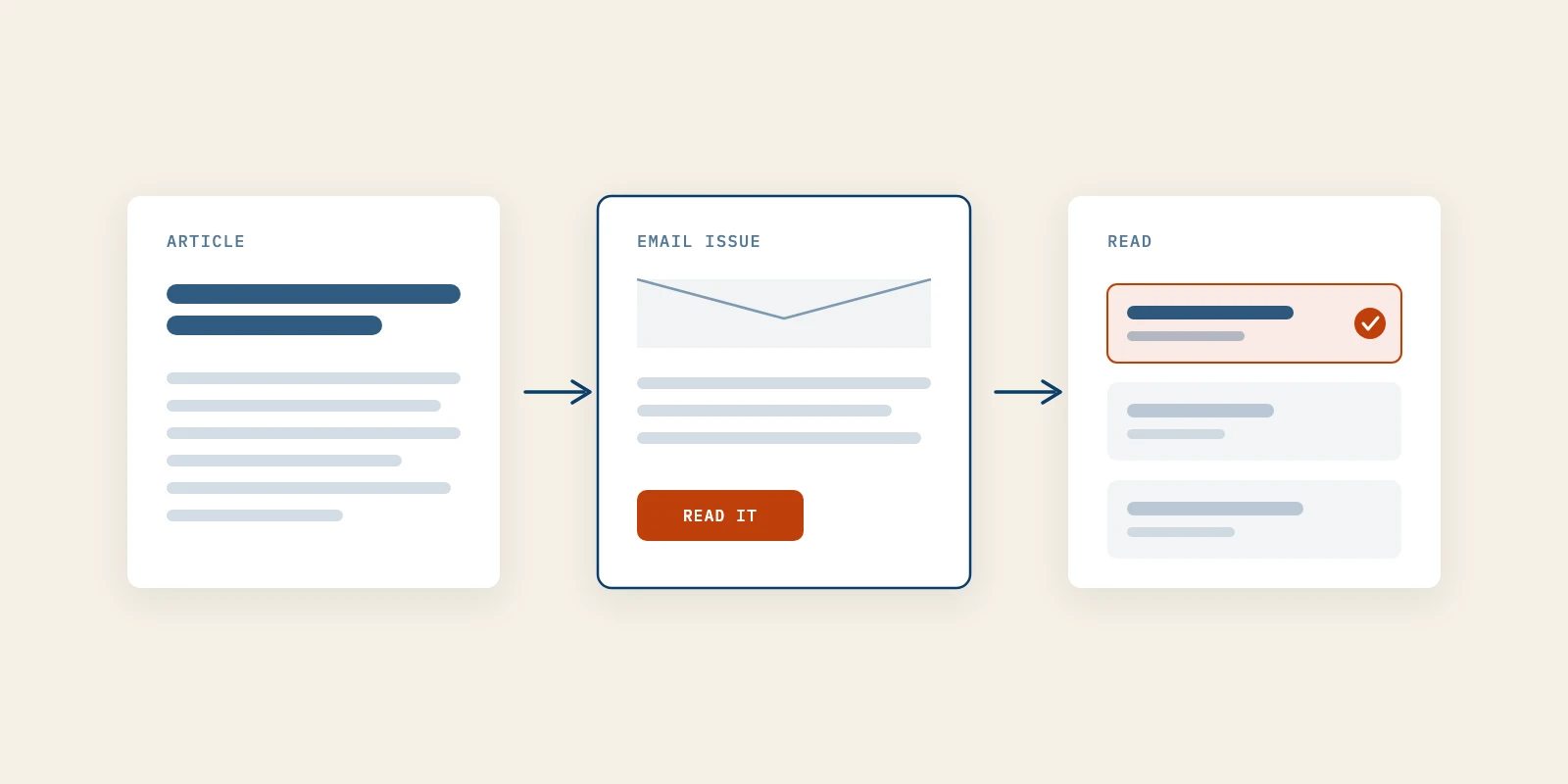
Email marketing for content distribution means sending the work you already published to a mailing list of people who asked for it, so it reaches readers without waiting on a feed or a ranking. Send one idea per issue, put the argument in the email and the detail behind a link, resend once with a new subject line, and judge it by clicks and replies rather than opens.
Most founders who publish seriously hit the same wall. The article took a week, the LinkedIn post about it reached whoever the feed chose that day, and the page went back to waiting for search.
The usual response is to write more, which makes the problem bigger rather than smaller. Most advice on content marketing for tech companies stops at the publish button, as if a page finds its own readers.
A list of people who opted in changes that, because an issue sits in the inbox until someone deals with it. This covers the five sends that carry an article to a reader, the sender rules that decide if the email arrives, and why the open rate stopped being evidence.
Email Marketing Compared With Social Posts for Distribution
Email marketing reaches the whole list you built, while a social post reaches the share of followers a platform picks for you. That single difference is why a mailing list is owned media and a follower count is not.
| Factor | Email Issue | Social Post |
|---|---|---|
| Who decides reach | You, by who is on the list | The platform's feed |
| How long it waits | Until the reader acts on it | Until the feed moves on |
| What you learn | Who clicked, and what they clicked | Aggregate reactions |
| When the rules change | The list is still yours | Reach changes with the policy |
| What it asks of you | Consent and sender setup | Posting at the right moment |
Read the table as a division of labor, not a contest. Social posts find new people and email keeps them, which is why the two work better together than either does alone.
How to Use Email Marketing to Distribute Content You Already Publish
Use email marketing to carry finished work, not to create a second publication. Five sends do almost all of the distribution, and none of them needs a new article.
Each step below says what the send is, how to run it, how to tell it worked and where it usually goes wrong. Run them in order the first month, then keep the ones your list responds to.
1. Send One Idea per Issue Instead of a Link Digest
An issue carries one argument from one piece of work. It is not a roundup of everything published that month, and it is not the automatic digest an RSS-to-email feature builds from your blog feed.
The reason is behavioral. A digest of five links teaches the reader to skim the subject line, decide nothing in it is urgent, and archive it unread.
To run it, pick the article that settles a question your buyer actually asks, then write the issue around that question. If you published an article on pricing a pilot, the issue opens with the pricing mistake and ends at the article.
You will know it worked when the clicks concentrate on one link instead of scattering across five. The common mistake is switching the RSS digest back on in a busy week, which quietly resets what the list expects from you.
2. Put the Argument in the Email and the Detail Behind the Link
The email should deliver the idea on its own, and the link should hold the evidence, the steps and the examples. A reader who never clicks still gets something, and a reader who wants more has a reason to go.
A message that is only a link asks for work before it proves the work is worth doing. Most readers decline that trade, so a bare link underperforms even when the article is strong.
In practice, write three to five short paragraphs that make the claim and name the consequence. Then close with one sentence saying what the full article adds, such as the checklist or the worked example, followed by the link.
The test is replies. When readers answer the issue itself rather than only clicking through, the email is carrying the argument. The mistake is pasting the whole article into the email, which removes the reason to visit the page you want indexed and shared.
3. Resend Once With a New Subject Line
Send the same issue again, about four days later, with a different subject line, to the people it did not reach. Many non-opens are timing, because the message arrived during a meeting or under forty others.
There is a catch that most guides skip. Apple's Mail Privacy Protection loads message content in the background for readers who use it, so many Apple Mail readers register as opened even when nobody read anything.
That means your non-opener segment undercounts the people who missed the issue. Resend anyway, because the segment you can see is still worth reaching, but do not treat the result as a clean measure of who read the first send.
It worked if the resend adds clicks without adding unsubscribes or complaints. The mistake is resending twice, or resending to the whole list, which turns a timing fix into the frequency problem readers leave over.
4. Send the Right Piece to One Person by Hand
When an article answers a question a specific person asked, send it to them personally rather than hoping the broadcast catches them. This is the only send on the list that does not scale, and that is exactly why it works at an early stage.
Keep a short note of open questions from sales calls and replies. When you publish something that answers one, write two sentences to that person that name their question and link the answer.
You can tell it worked when the person replies, or forwards the article to a colleague. The mistake is templating them, since a reader recognizes a merge field in the first line.
5. Bring Back Older Articles When They Answer a New Question
Your archive is distribution stock, not history. An article from last year that still answers a live question deserves a second issue built around the new version of that question.
Look through recent replies and call notes for questions you have already answered in public. Then write a fresh issue that opens with the question as it was asked this month and links the older page, updated if a detail has changed.
Anyone who joined after that article went out has never seen it, so for them it is new. It worked if the older page picks up clicks from subscribers who joined recently. The mistake is resending an old issue word for word, dated references and all.
Your Mailing List Grows From the Content You Already Publish
A subscribe box on its own collects almost nobody, so email marketing depends on the pages that bring readers in. The mailing list fills from the same work it distributes: an article that answers a question a buyer typed, a founder post read by the right twenty people, an answer somewhere public useful enough to make someone look you up.
Put the invitation where a reader has just been helped, not where a pop-up interrupts them. The places that earn sign-ups are the places where attention already exists:
- The last paragraph of each article, naming what the next issue will cover.
- The founder's LinkedIn profile and the comments under their own posts.
- Replies to buyers who asked a question the newsletter answers regularly.
- The thank-you page after a demo request or a download.
The pages still have to be found before any of this works. If articles are not showing up on Google or inside ChatGPT and Perplexity answers, an AI SEO service fixes the pages first, and email has something to carry afterwards.
That is the sequence to follow: get found, get known, then get followed. Two hundred people who run the function you sell into beat twenty thousand who entered a giveaway, and starting a newsletter aimed at first customers shows how small that first list can be. A list is not a substitute for an AI SEO service, and a ranking page is not a substitute for a list.
Sender Rules That Decide If Email Marketing Arrives
Email marketing only distributes content that lands in the inbox, and the major mailbox providers now publish rules for that. Google's email sender guidelines apply to all senders from February 1, 2024, with stricter requirements above 5,000 messages a day to Gmail accounts.
Above that line you need SPF and DKIM, a DMARC record, and a spam rate below 0.30 percent, and Google advises staying under 0.10 percent. Those senders also have an unsubscribe rule. In its words, "Marketing messages and subscribed messages must support one-click unsubscribe, and include a clearly visible unsubscribe link in the message body."
Yahoo's sender best practices set the same shape and add that unsubscribes are honored within two days. The legal floor in the US sits in the FTC's CAN-SPAM compliance guide. Before the first issue goes out, check these:
- SPF and DKIM pass for the domain you send from.
- A DMARC record is published, even at a policy of none.
- One-click unsubscribe works and a visible unsubscribe link sits in the body.
- A valid physical postal address appears in every message, as CAN-SPAM requires for commercial email.
- Opt-outs are processed within two days, well inside the ten business days CAN-SPAM allows.
Most founder lists sit far below 5,000 a day, and the rules are still worth meeting. The details for small senders are in email deliverability below the bulk sender threshold.
What Email Marketing Results Look Like Once Opens Stop Counting
Judge email marketing by clicks and replies, because the open rate no longer measures reading. Apple's Mail Privacy Protection notice says the feature downloads remote content in the background "regardless of whether you engage with the email."
A click is a deliberate act, and a reply is a stronger one. Track click-through rate per issue, which articles get clicked more than once by the same person, and how many replies each issue produces.
SunLead's newsletter, written by Better Marketing, runs at a 46 percent open rate and a 9 percent click-through rate. The 9 percent is the number we watch, because a click survives background loading and an open does not.
Repeat clicks on one subject are the signal worth acting on. A person who clicks two articles about the same problem in a month has told you what they are working on. That is the signal a B2B demand generation agency turns into a warm conversation rather than a cold one.
Content That Email Marketing Distributes Poorly
Email marketing is the wrong carrier for some content, and knowing which saves the list from learning to ignore you. Three cases come up again and again.
If you have no list and no way to grow one yet, email is not a distribution channel. It is a channel you hope to build, and search plus the founder's own posts have to bring people in first.
If the content is genuinely news, email is slower than the places people go for news. Send it for the record, but expect the reaction to happen elsewhere.
If you cannot sustain a cadence, do not start one, because a newsletter that stalls at issue four is harder to restart than one never launched. That is the uncomfortable part of content marketing for tech companies: distribution is a commitment, not a campaign.
Start With One Issue Built From Your Latest Article
Pick your strongest recent article, write one issue that carries its argument, and check SPF, DKIM and DMARC before you press send. Resend once four days later, then read the clicks and replies instead of the open rate.
That is email marketing doing distribution rather than publishing. When repeat clicks start pointing at real accounts, that is the moment a B2B demand generation agency earns its fee, and Better Marketing builds that outreach on readers who already trust you.