

Quick Answer
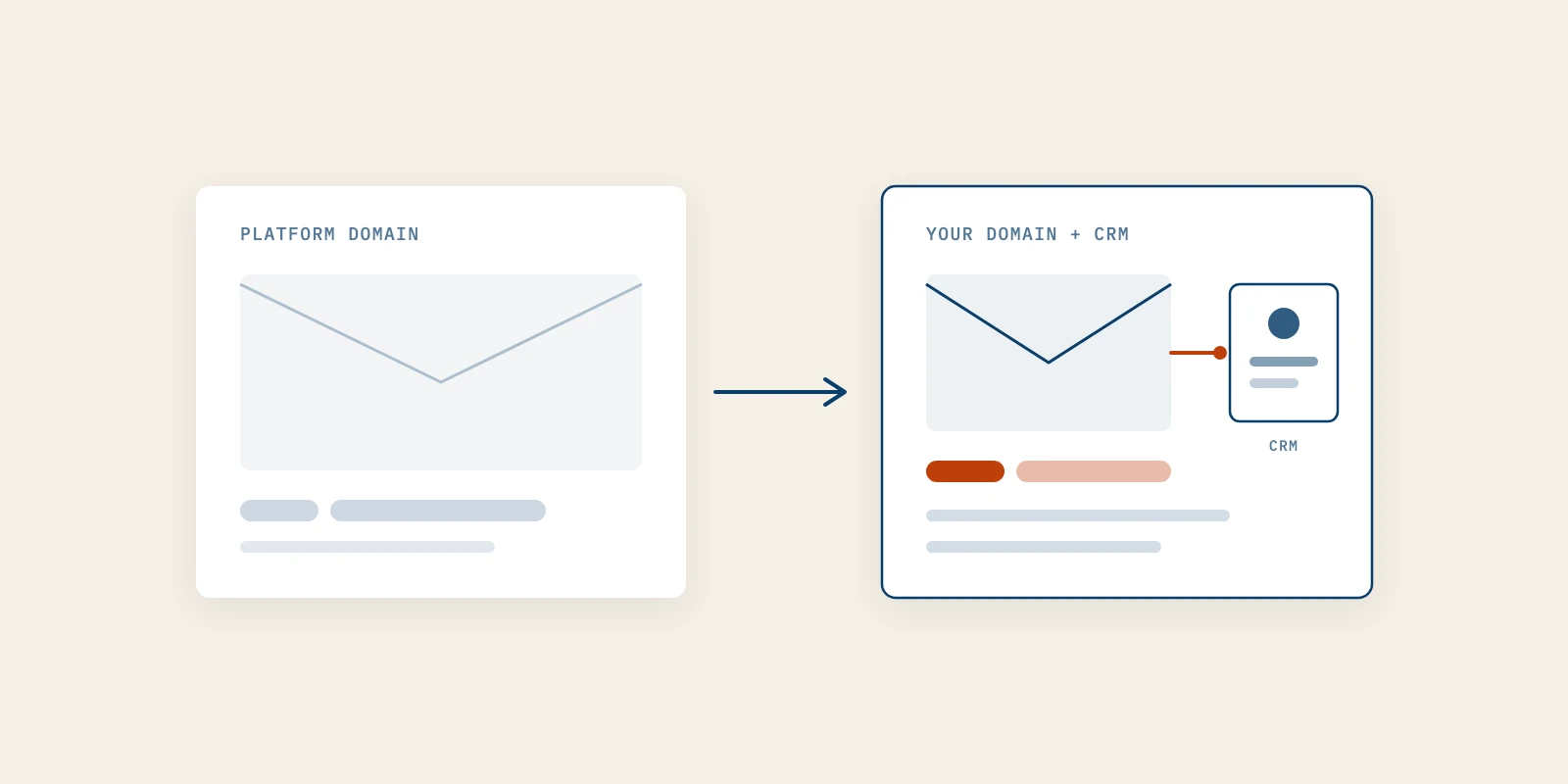
For a software founder, beehiiv vs Substack is a question of control, not payouts, because a newsletter platform is the tool that hosts your list, sends each issue and publishes the archive. Pick beehiiv when the newsletter feeds a product, because it sends from your own domain and exposes an API and webhooks. Pick Substack when the newsletter is the product and its reader network matters more than your stack.
Most comparisons of these two tools are written for writers who want to earn from paid subscriptions. They rank the platforms on revenue share, and for a founder that's the wrong scoreboard.
Your newsletter probably won't charge anyone. It exists so that the people you want as customers hear from you every few weeks, and it's the part of content marketing for tech companies that nobody else controls.
That changes which details matter: the domain the email comes from, what your CRM learns when someone subscribes, and where a reader goes after the last line. This covers the five decisions that settle the choice, what each tool costs as of September 2026, and when Substack is still the better call.
How Each Newsletter Platform Compares for a Software Company
beehiiv behaves like marketing infrastructure and Substack behaves like a publishing network, and every row below follows from that. We checked each line against the platforms' own pricing pages, help centers and developer terms in September 2026.
| Factor | beehiiv | Substack |
|---|---|---|
| Cost to start | Free Launch plan, up to 2,500 subscribers | Free to publish |
| Cut of paid subscriptions | 0 percent on paid plans, plus Stripe fees | 10 percent, plus Stripe fees |
| Custom domain | Included on every plan | One-time $50 fee |
| Where the archive lives | Your domain or a subdomain | A subdomain such as www |
| Address issues send from | Your own sending domain | An address at substack.com |
| API | Subscriptions, segments, posts, automations | Public profile data only |
| Webhooks | Scale plan and above | None in the API terms |
| Reader discovery | Recommendation network | App, Notes and recommendations |
Read the table as two different jobs, not a winner and a loser. Substack's own comparison page makes the same split from its side. It calls beehiiv "an email-first tool with no native reader app, no social layer, and no built-in audience."
How to Choose a Newsletter Platform When the Newsletter Sells Software
Choose the newsletter platform that fits the system around the newsletter, not the one with the longest feature list. Five decisions do the sorting, and most founders can answer all five in an afternoon.
Take them in order. Each one names what to check, how to check it, what a good answer looks like and the mistake that shows up most often.
1. Decide Where the Newsletter Archive Will Live
Every issue you send also becomes a web page, so the archive is a small website you're choosing to host somewhere. Neither tool puts that archive at a folder on your main site, such as yourproduct.com/newsletter.
beehiiv's custom domain guide says that if your main domain already runs your company website, you should use a subdomain such as newsletter.domain.com. A custom domain is included on every beehiiv plan, including the free one.
Substack's help center says it requires a publication to be hosted on a subdomain such as www, with a 301 redirect for the root. Connecting a custom domain costs a one-time $50 per publication, and without one the archive sits on yourname.substack.com.
For a software company the subdomain is the realistic answer on both platforms. The difference is cost and branding: a free branded subdomain on beehiiv, a $50 one on Substack, or a substack.com address if you skip the fee.
Here's how to check it. Write down the exact URL you want an issue to live at, then confirm the platform can serve it before you import a single subscriber.
This decision also shapes search, because issues on newsletter.yourdomain.com build history on that host rather than on your product pages. If you plan to buy an AI SEO service later, tell whoever runs it that the archive exists, and link the two properties to each other.
The common mistake is launching on the free substack.com address and meaning to move later. Every link you share in the meantime points at an address you'll eventually abandon.
2. Decide Which Domain Sends Every Issue
The From address is the first thing a buyer sees, and the two tools handle it differently. beehiiv's domain guide lets you set your custom domain as the email sending domain, so issues can come from an address at your company's domain.
Substack's help center is direct about its side: even with a custom domain, newsletters are always sent from an address at substack.com. The web archive can carry your name while the inbox still shows Substack's.
That matters more for a product than for a writer. A prospect who replies, forwards or searches their inbox for your company name should find you under your own domain, and your sender reputation should belong to that domain too.
To act on it, pick a dedicated subdomain for sending, such as news.yourdomain.com, so newsletter volume never touches the mailbox your sales team uses. beehiiv's guide recommends exactly that if you already use your domain for regular email.
You'll know it's working when issues pass SPF, DKIM and DMARC for your own sending domain. For what that setup needs on a small list, read email deliverability below the bulk sender threshold. The mistake is sending from the root domain your team's inboxes rely on.
3. Decide What the Newsletter Must Tell Your CRM
If a new subscriber should become a record in your CRM, you need an API and webhooks, and this is the widest gap between the two tools. beehiiv publishes a developer API covering subscriptions, custom fields, segments, tags, posts and automations.
Its webhook documentation lists events such as subscription created, subscription confirmed, subscription deleted and post sent. The pricing page puts API access on every plan but webhooks on Scale and above, so check the plan before you promise anyone an integration.
Substack's Developer API terms describe something much narrower. The API returns public profile information such as a creator's name, profile URL and total subscriber count, and it isn't a way to read or write your subscriber list.
Map the work before you decide. The flows below are the usual reasons a product newsletter needs a connection:
- A newsletter signup creates or updates a contact in your CRM.
- A trial signup moves that person out of general issues and into onboarding.
- A paying customer stops receiving issues written to win customers.
- An unsubscribe is recorded everywhere the person appears.
If two or more of those are in your plan, budget for a paid beehiiv plan, because the webhook is what carries each event to the CRM. The test is simple: subscribe with a test address and watch the record appear without anyone copying it.
This is also where a B2B demand generation agency starts, since outreach built on warm readers needs to know who those readers are. The common mistake is exporting a CSV once a month and calling it an integration.
4. Decide Who Keeps the Reader's Next Click
Substack's reader network is real, and it cuts both ways for a product. On its comparison page Substack says "more than half of new subscribers on Substack come from within the platform itself," through its app, Notes and recommendations.
That's a genuine growth engine for a publication. For a software company it also means your reader finishes an issue inside an app built to show them the next publication, which is usually someone else's.
beehiiv has a recommendation network too, but a reader mostly meets your issue in their inbox and follows your links to your site. The next click is more likely to stay with your product.
To decide, ask what the newsletter is for. Better Marketing treats a founder's newsletter as the audience you own outright, which is why we weigh where the reader goes next above how many readers a network might send.
A good sign is clicks landing on your own pages rather than on other publications. The common mistake is counting subscribers the network delivered without checking if any of them fit your buyer.
5. Price the Plan You Will Actually Need
Price the plan that covers decisions one to four, not the entry price. As of September 2026, beehiiv's pricing page lists a free Launch plan up to 2,500 subscribers, and paid plans start at $49 a month.
Billed annually for up to 1,000 subscribers, Scale shows $43 a month and Max shows $96 a month, and the price rises as the list grows. Scale adds webhooks and automations, and Max adds removing beehiiv branding and the Send API.
Substack charges nothing to publish at any list size. Its help center lists a 10 percent fee on each paid subscription plus Stripe's processing fees, and the custom domain is the one-time $50.
So for a free product newsletter, Substack's 10 percent is zero and the real cost is $50. beehiiv's real cost is Scale from the day you need a webhook, and that's the fair comparison.
Write the number down as a yearly cost next to the four answers above. The common mistake is choosing the free plan on either tool and discovering the missing feature after the list has moved in.
When Substack Is the Right Newsletter Platform for a Founder
Substack is the better newsletter platform when the writing is the product or the founder's personal voice is the point. A founder building a public following on ideas, with no CRM flow to feed, gains more from Substack's network than from beehiiv's API.
It also suits a founder who hasn't committed to a cadence yet. Setup is close to zero, and a founder newsletter that stalls at issue four usually stalls for reasons no tool fixes, so a cheap start is sensible.
The limit is the tactic, not the tool. Content marketing for tech companies still needs issues that answer a buyer's real question, and neither newsletter platform writes those for you.
Switching Newsletter Platform Later Is Possible but Not Free
You can move between the two, so the choice isn't permanent. Substack's comparison page says you can export your subscriber list at any time and describes an import tool for bringing subscribers, posts and Stripe customers across from beehiiv.
The costs sit around the list rather than in it. Archive links change host, readers see a new From address, and beehiiv's domain guide advises reusing a sending domain only if its reputation is strong and it's no longer in use elsewhere.
Plan the move for a quiet week and warn readers in the last issue on the old newsletter platform. Keeping the old archive live until the new one is indexed avoids breaking links you've already shared.
Start the Newsletter Platform Decision With Your Domain and CRM
Write down the URL for the archive, the address issues should send from and the CRM events you need, then choose the newsletter platform that meets all three. For most software companies that's beehiiv on a paid plan, and for a founder whose newsletter is the product it's Substack.
If the list is still at zero, starting a newsletter that wins first customers comes before any of this. Once readers are clicking, an AI SEO service keeps new ones arriving, and a B2B demand generation agency like Better Marketing turns warm readers into first customers.