

Quick Answer
Set up each B2B newsletter form so new names must opt in by email. Check each path on its own, then test who can get the next send. Keep proof of the click and the list state. Count new names and those who opt in as one group. Give one owner the job of checking each new form and change.
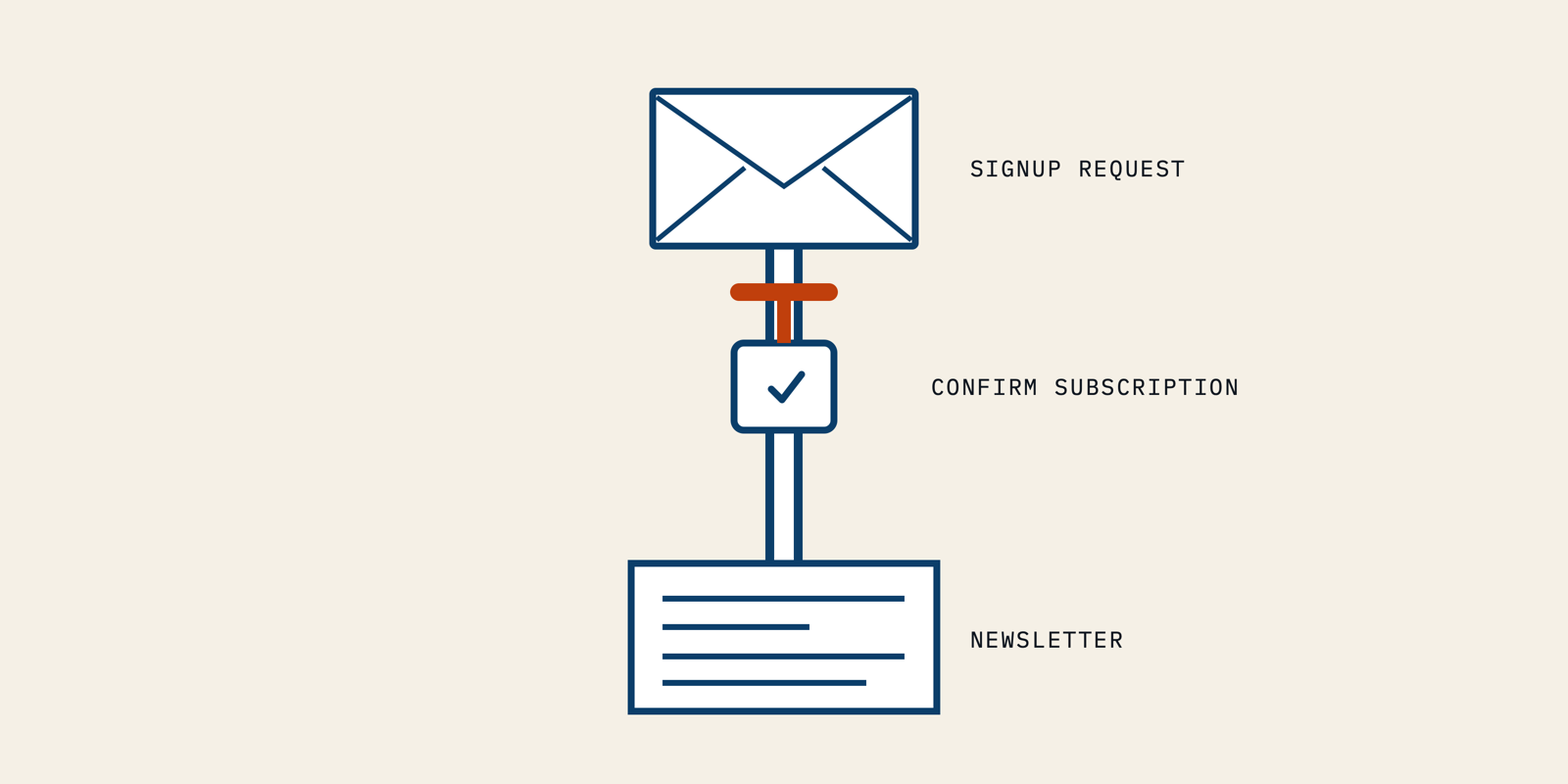
Double opt-in activates a subscription after the signup is confirmed through a message sent to that address. I would treat it as a property of each signup route, not a promise made by one dashboard switch.
A seed-stage founder might have a working website form and a separate webinar integration. The form waits for confirmation, while the integration adds contacts directly. Both feed the same newsletter.
The founder sees one growing list and misses the difference.
I would resolve that difference before inviting more subscribers. This guide covers provider scope, confirmation copy, release tests and a small-team measurement routine.
Make Every B2B Newsletter Signup Follow Its Confirmation Rule
I would implement Double opt-in by identifying how each new address enters the sending platform, then proving which event activates its newsletter subscription. The important unit is a signup route with a known rule and an owner.
An email service provider, or ESP, manages email audiences and sending. Its contact database can contain people with several different statuses. I would not assume that a contact appearing there has completed the newsletter's confirmation process.
1. List Every Route Into the Subscriber Database
I would start with the actual entry points, including the quiet ones a founder rarely sees. A footer form, an event registration and an imported spreadsheet may reach the same audience through different mechanisms.
For a hypothetical five-person SaaS team, I would create this short ledger before changing settings. The rows are proposed checks, not claims about any team's current setup.
| Signup Route | Evidence to Find | Owner to Name |
|---|---|---|
| Native newsletter form | Form ID, audience and confirmation setting | Newsletter editor |
| Website form integration | Integration mapping and resulting contact status | Website developer |
| Webinar signup | Newsletter choice and destination audience | Event owner |
| Subscriber migration | Prior subscription evidence and import mapping | Migration owner |
I would add the page URL and a recent configuration date to each row. “Website” is too broad when three forms use two different integrations. A developer needs to know which submission path to inspect.
An application programming interface, or API, lets systems exchange data. A website integration can use an API even when the person managing the form never writes code. I would ask how that integration creates the contact.
My first decision would be to keep an unverified route out of the newsletter launch. For example, the native form can proceed after testing while the webinar mapping remains under review. That gives the team a specific release boundary.
2. Match Each Route to the Provider's Actual Scope
I would check the current provider documentation and the intended account configuration together. Double opt-in for API signups may require a different control from the one attached to a native form.
The following comparison reflects documentation read on 2 November 2026. It compares supported mechanisms, not deliverability results or a ranking of vendors.
| Provider | Documented Scope | What I Would Check |
|---|---|---|
| Mailchimp | Its Double opt-in setting for email covers Mailchimp signup forms, while integrations and API paths need separate attention | The custom website form's resulting subscription status |
| HubSpot | Basic functionality applies to all forms and pages, and advanced settings can select specific forms and pages | The exact forms included and the treatment of existing contacts |
| MailerLite | Native forms have their own switch, and API and integration signups use a separate account setting | Both the form setting and the API/integrations setting |
Mailchimp's documentation explicitly directs teams using integrations or its API to their developer. I would not use a successful hosted-form test as evidence that a custom form behaves the same way.
HubSpot's documentation has a different boundary. With confirmation enabled only for selected forms and pages, contacts from excluded pages do not require that confirmation to receive marketing emails.
I would therefore review the exclusion list as carefully as the enabled switch. A campaign intended for confirmed newsletter subscribers still needs the intended newsletter membership and permission rules applied.
HubSpot also considers some existing contacts confirmed when the feature is enabled, including contacts previously sent marketing emails. I would distinguish that inherited status from a fresh confirmation performed during the new signup flow.
MailerLite's instructions place the separate control under Account settings, Subscribe settings, then Double opt-in for API and integrations. I would record that setting in the integration's ledger row.
MailerLite also documents a multi-form caveat. When a subscriber submits several forms, the automation connected to the form whose confirmation they complete is the one that triggers.
I would test the exact form-to-newsletter relationship before adding more entry points.
3. Separate Confirmation From Newsletter Membership
I would record what the subscriber confirmed, not just that a field says “active.” Subscription status is the provider's current description of the contact. The confirmation event explains how the contact reached that state.
My minimum review record would connect the address, newsletter audience, signup source, request time and confirmation time. I would retain the wording or version of the invitation so the team can identify the newsletter the person chose.
A generic CRM lead record does not supply that history by itself. In a hypothetical migration, I would ask for the original subscription evidence before mapping old contacts into the new newsletter audience.
HubSpot documents bulk confirmation as a way to reflect a status already established in another platform. It does not send a confirmation email. I would never use that action merely to make an unconfirmed count disappear.
I would also keep confirmation separate from later conversation handling. The existing guide to newsletter automation that stops at buyer replies covers the next stage, when a subscribed buyer starts a conversation.
That distinction gives each control a clear job. The signup process establishes the intended subscription. The later journey decides what follow-up is appropriate now. A confirmation click does not answer every future sending question.
4. Prove the New-Signup Rule Before Release
I would test Double opt-in with controlled inboxes through the actual form and integration paths. A preview of the double opt-in email proves how it looks, but it cannot establish the status created by a real signup.
For each approved route, I would save these acceptance results. These are proposed tests, not reports of a deployment we performed.
| Test | Required Observation |
|---|---|
| Submit a new controlled address and leave the message untouched | The request is recorded, and the contact is excluded from the intended newsletter audience |
| Complete the confirmation using another controlled address | The confirmation event is recorded, and intended newsletter membership becomes eligible |
| Submit through the website integration | The same intended confirmation requirement applies on that path |
| Inspect an imported test contact | Status reflects documented prior evidence, without an unexplained confirmation claim |
I would examine the audience selection as well as the inbox. An absent email might mean a message failed elsewhere; it does not prove that the newsletter excluded the unconfirmed contact.
The useful evidence is the contact record, confirmation event and audience decision together. Record the form version and test time so a later edit does not inherit an obsolete pass result.
For example, a founder could see a confirmation email arrive while the integration has already marked the contact eligible. I would fail that route even if the message and thank-you page look correct.
Pro tip: I would keep one controlled address unconfirmed throughout the release review. That gives the editor a visible negative case when inspecting the final newsletter audience.
Make the Confirmation Request Recognizable and Unambiguous
I would write the Double opt-in request as a short action the subscriber can recognize immediately. The person has already shown interest; the remaining job is to complete the subscription they just requested.
• Explain the Remaining Step on the Signup Page
I would describe the newsletter before asking for the address, then explain what happens after submission. A founder should be able to point to one stated publication and one next action.
For a hypothetical newsletter called Deployment Notes, my form message would say, “Get our monthly note on shipping reliable software. Check your email after signing up to confirm your subscription.” This is sample copy, not a reported campaign.
After submission, I would use a different message that says, “Check your inbox for the confirmation email from Deployment Notes.” I would avoid telling the visitor they are fully subscribed while that action remains incomplete.
The B2B newsletter brief should give the editor and developer the same subscription promise. I would settle that wording before they configure separate form and email templates.
I would review this sequence on the actual page after a test submission. A polished form can still lead to an old thank-you message left behind by a previous integration.
• Keep the Activation Message Focused on Confirmation
I would make the confirmation subject line describe the requested action. “Confirm Your Deployment Notes Subscription” names both the publication and the task.
The email carries a brief explanation and one confirmation button. Product announcements and demo invitations belong later, where they do not compete with activation.
Oracle’s documented experience supports checking the whole connection. Its team described a redesigned confirmation email that was not wired correctly to the flow, which delayed activation. I would take the lesson, that changing the message requires a fresh end-to-end test, without adopting its reported confirmation rate as a target.
The thank you page should acknowledge the completed action, tested through the real confirmation link rather than the page URL alone.
MailerLite says editing confirmation emails requires a paid plan and that each form has its own email. I would check those controls before promising a custom template for every signup source.
Pro tip: I would give the form message, confirmation email and completed-subscription page to one reviewer as a sequence. Reading them together makes contradictory status language easier to spot.
Measure Confirmed Signups With a Fixed Cohort and Time Window
I would measure Double opt-in using a defined set of signup requests and a stated observation window. Comparing this month's confirmations with this week's submissions mixes different people and can hide a broken route.
• Count Requests and Confirmations Separately
I would define a cohort as unique new subscription requests received during one chosen period. Deduplicate repeated submissions for the same address and newsletter before calculating its confirmation rate.
For a hypothetical example, suppose 20 unique requests arrive in one week. Seven days after that week ends, 15 have completed confirmation. The observed confirmation rate for that cohort and window is 15 divided by 20, or 75%.
That number is arithmetic for an illustration, not an industry benchmark. I would retain the counts alongside the percentage because one additional confirmation changes this small cohort's rate by five percentage points.
I would also keep late confirmations attached to their original cohort. Updating a later report should not silently change the observation window used in the first comparison.
The Litmus comparison of opt-in approaches distinguishes performance rates from total activity. I would make that distinction explicit when a founder compares a single opt-in process with a confirmation-based one.
| Measure | Question It Answers |
|---|---|
| Unique new requests | How many addresses requested this newsletter? |
| Confirmed requests within the window | How many completed the required action in time? |
| Confirmation rate | What fraction of that cohort completed it? |
| Remaining unconfirmed requests | Which records still lack the required confirmation? |
I would report newsletter engagement separately. The guide to interpreting a newsletter open rate explains why that later measure needs its own care; it cannot substitute for a confirmation event.
• Investigate Changes by Source Before Expanding the Form
I would compare the ledger paths before changing the subscription rule. If a website integration's confirmations stop after an edit while the native form still works, that difference identifies where to investigate.
Keep the edit time, affected form and first failing test together. A small team can then reproduce the change without guessing which campaign caused a fall in the combined dashboard.
I would use the existing small-list deliverability guide when delivery needs a broader review. This setup guide does not replace that work or promise inbox placement from confirmation alone.
I would not disable Double opt-in simply to improve the displayed subscriber count. HubSpot warns that turning it off can immediately send workflow emails previously held for lack of confirmation to contacts still in the workflow.
That makes the switch a release decision with consequences beyond the form. I would inspect affected workflows and current contacts before approving such a change, then record the intended outcome and owner.
Assign One Owner Before Expanding the B2B Newsletter
I would expand the B2B newsletter only after each approved signup route has current confirmation evidence. Double opt-in needs a maintained connection between the form, the subscriber record and the sending audience.
For the hypothetical five-person team, I would make the newsletter editor responsible for the ledger and ask the website developer to verify integration changes. Every new form gets its own test before it joins the release.
Start with one documented route, retain the unconfirmed test case and review the first cohort with its counts. For help turning that operating brief into a consistent editorial program, I would bring it to Better Marketing.